Review the fleet
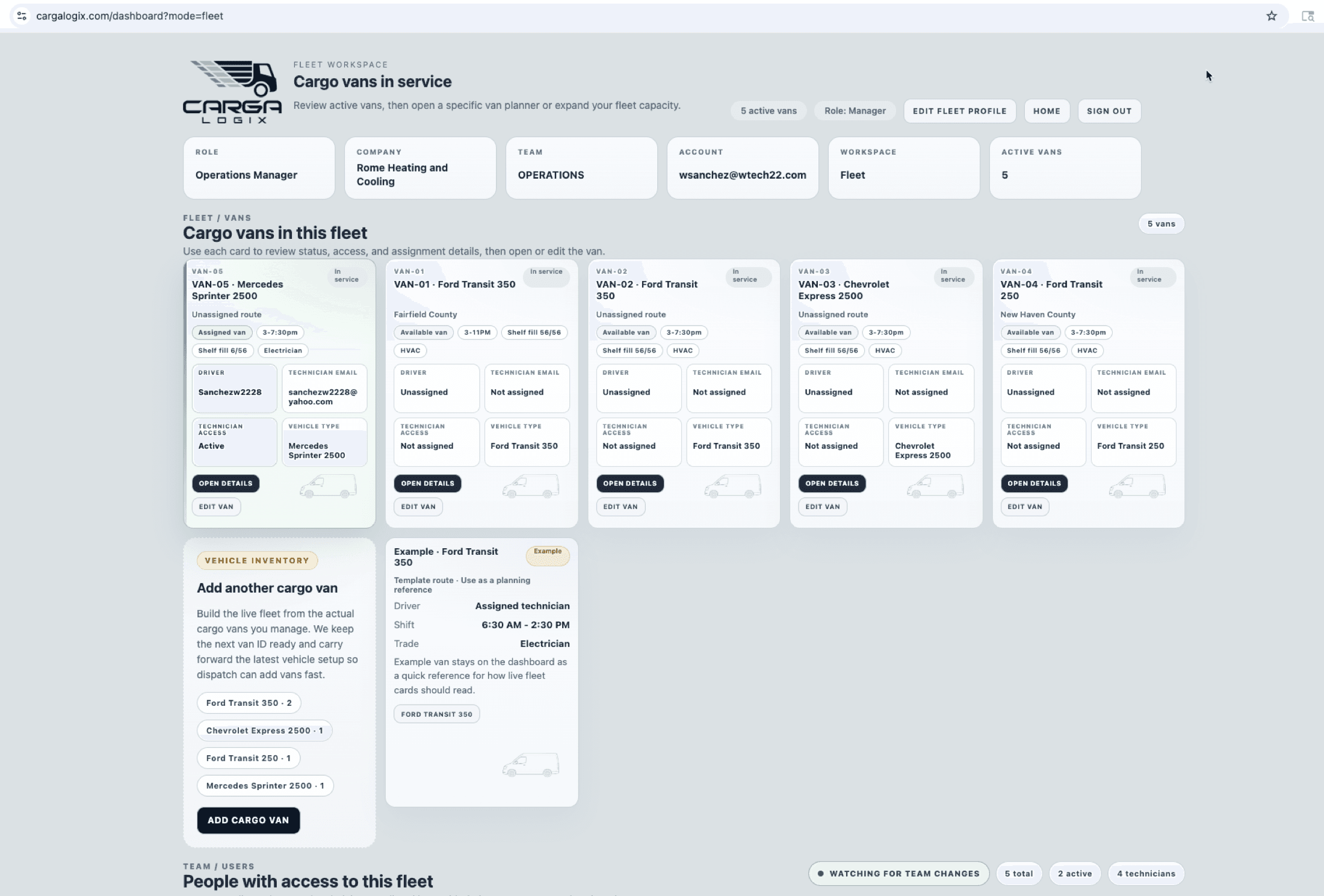
See active vans, assigned vans, available vans, driver names, and technician access at a glance.
Fleet workspace
Managers and dispatchers can review active vans, assigned technicians, technician access, and shelf fill status from one visual workspace.
How it works
The Fleet Workspace turns van inventory into an operational view, so the person coordinating the day can see which vans are assigned, organized, and ready to inspect.
See active vans, assigned vans, available vans, driver names, and technician access at a glance.
Use the shelf fill chip to understand how much of each van layout has stocked containers.
Jump from the fleet card into the exact van planner when a manager needs inventory detail.
Why it matters
When a technician does not have a part and the supply house is closed, managers need a quick way to know which van is assigned, accessible, and worth checking next.
Dispatcher detail view
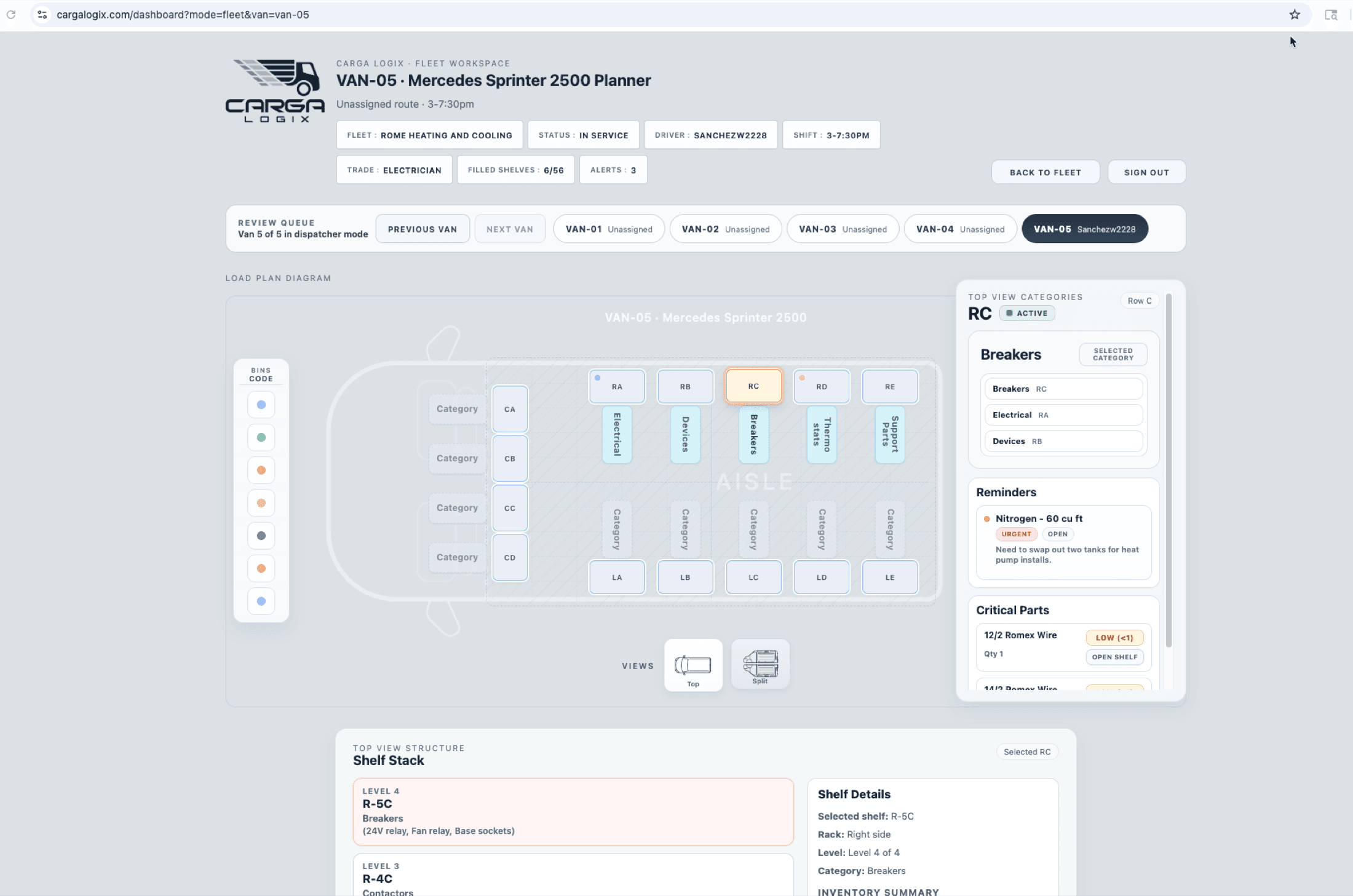
From the fleet card, dispatchers can open a specific van planner to review shelf categories, reminders, critical parts, and the top-view layout before calling the team.
Dispatcher impact
Find assigned and available vans faster
Confirm technician access before dispatch
Spot shelf-fill gaps by vehicle
Open a van planner for emergency part checks
Fleet visibility for service teams