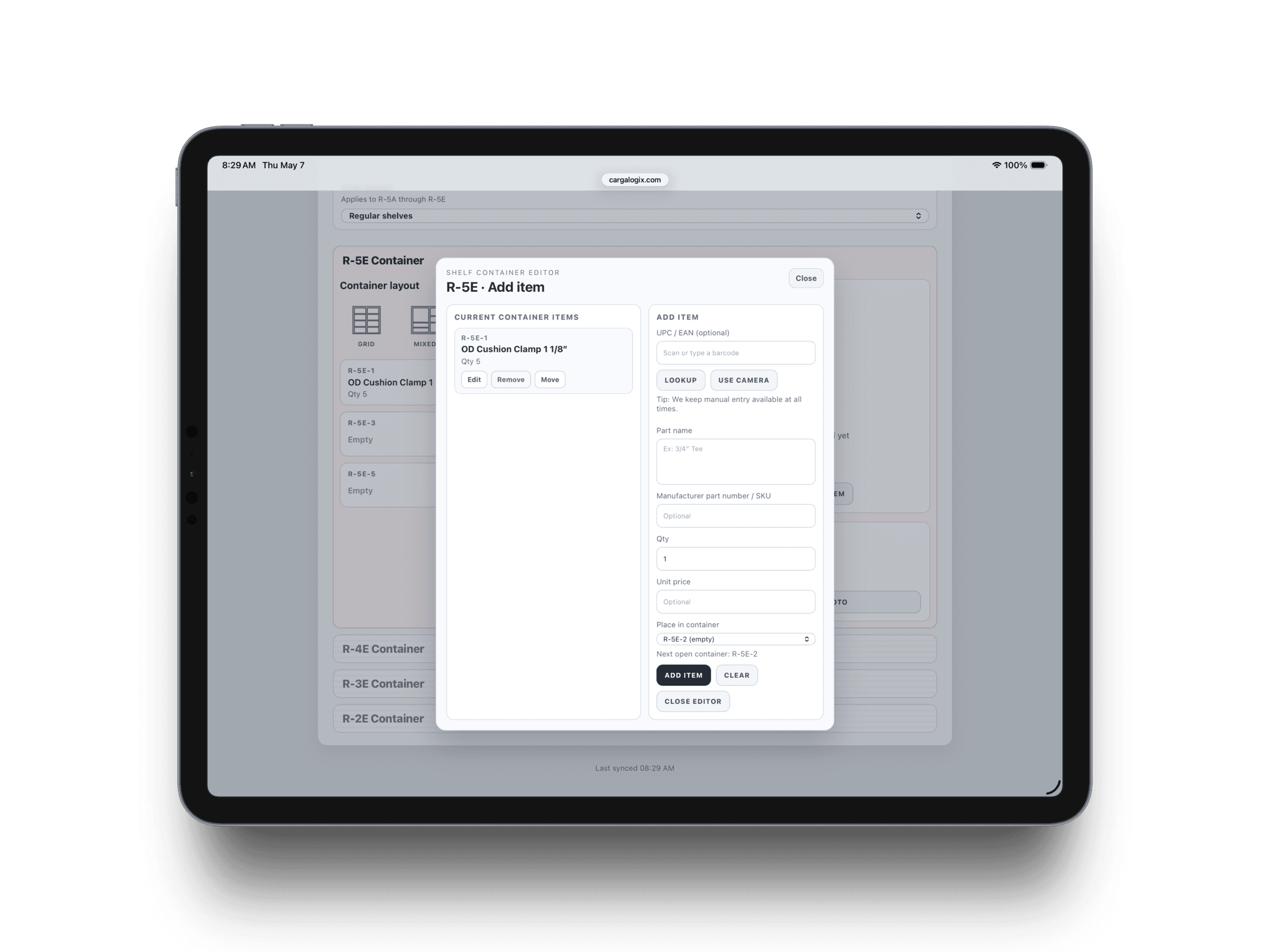
Scan or enter the part
Use the camera scanner or type the UPC when the label is worn, curved, or hard to read.
Cargo van inventory workflow
Scan or enter a part, confirm the item, and place it directly into the correct shelf container without slowing down the technician.
How it works
Most inventory systems fail when technicians have to stop and do paperwork. Carga Logix keeps the update process close to the real job: part in hand, bin selected, inventory updated.
Use the camera scanner or type the UPC when the label is worn, curved, or hard to read.
Review the scanned part name, quantity, and SKU before saving it to the van.
Assign the item to the exact shelf container so the van stays organized and searchable.
Why it matters
Carga Logix gives technicians a quick scan-or-enter workflow that keeps inventory accurate while the van is being stocked, used, and restocked.
Field impact
Fewer missing parts during service calls
Less admin work after the job
Cleaner restocking decisions
Better accountability by shelf and bin
Built for real service teams